Show your work

Add your seal to your site

Pick the style that fits your site and paste the code into your footer or homepage. The badge stays live — it always reflects your latest scan and links to your report.

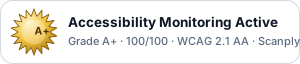
Status bar · darkAccessibility Monitoring Active badge

Status bar

Medal, “Accessibility Monitoring Active,” and your grade. The most informative — use ?theme=light on a light site (shown below).

<a href="https://scanplyance.com/reports/YOUR-SITE">
  <img src="https://scanplyance.com/badge/YOUR-ID.svg"
    width="300" height="64"
    alt="Accessibility Monitoring Active — WCAG 2.1 AA by Scanplyance">
</a>
Status bar · lightAccessibility Monitoring Active badge, light

Status bar — light theme

The same bar with a white background and dark text, for light-colored sites. Just add ?theme=light.

<a href="https://scanplyance.com/reports/YOUR-SITE">
  <img src="https://scanplyance.com/badge/YOUR-ID.svg?theme=light"
    width="300" height="64"
    alt="Accessibility Monitoring Active — WCAG 2.1 AA by Scanplyance">
</a>
Seal · darkAccessibility grade seal

Trophy seal

Just the grade + sun — compact and premium, great as a corner seal. Transparent background, so it sits on any color. Pick the size with ?size=.

<a href="https://scanplyance.com/reports/YOUR-SITE">
  <img src="https://scanplyance.com/badge/YOUR-ID.svg?style=seal&size=128"
    width="128" height="128"
    alt="Accessibility grade — WCAG 2.1 AA by Scanplyance">
</a>
Seal · lightAccessibility grade seal on light

Trophy seal — on a light site

The same seal on white. The medal is transparent, so the one piece of code works on dark or light sites alike.

<a href="https://scanplyance.com/reports/YOUR-SITE">
  <img src="https://scanplyance.com/badge/YOUR-ID.svg?style=seal&size=128"
    width="128" height="128"
    alt="Accessibility grade — WCAG 2.1 AA by Scanplyance">
</a>

YOUR-ID and YOUR-SITE are filled in for you in your dashboard once you’re monitoring — this page is just to choose a style. What does the seal mean?

Get your accessibility scoreSee monitoring plans
Scanplyance provides accessibility monitoring and reporting tools. It is not a law firm and does not provide legal advice. Automated scans cannot identify every accessibility issue and should be used as part of a broader accessibility program.